
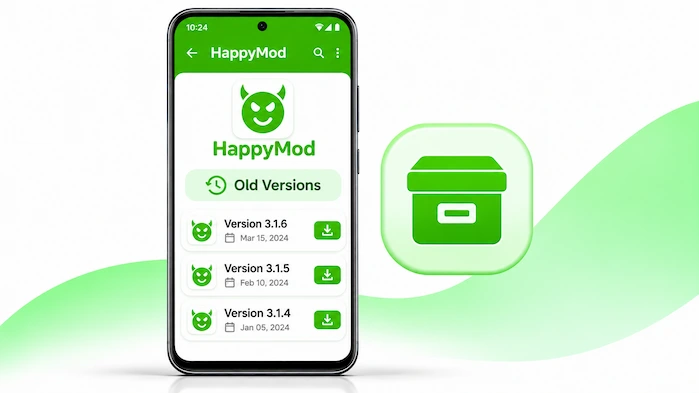
HappyMod Old Versions may suit Android users who prefer an older app release. Some people want to keep a familiar layout. Others may face issues with a newer build on their phone. However, an older release may lack new fixes and features. It may also have problems that newer builds have solved. So, check the file details and your phone’s needs before you install one.
This page explains why users may choose older releases and what to check first. You will also learn about version changes, Android support, common problems, and safe APK checks. In addition, you can compare older builds with the latest release before making a choice.
What Are HappyMod Old Versions?
HappyMod Old Versions are past releases of the Android app. Each release has its own version number and file details. Some older builds may have a different layout or set of features. Others may include fewer fixes than newer releases. An old APK does not always work on every Android phone. Its support depends on the Android version, device, and app build. Therefore, check the file details before you install it. Do not assume that an older release will work just because a newer one does.
You can also visit the HappyMod homepage to learn more about the app before you continue.
Why Do Users Choose Older Versions?
There are several reasons why users may prefer an older app release. However, the best choice depends on the phone and the user’s needs.
Familiar App Layout
Some users prefer the look of an older release. They may know where to find each menu and option. A newer layout can take time to learn. For this reason, some users may want to keep a version they already know.
Issues With a New Release
A new app build may not work well on every phone. Some users may face crashes, slow screens, or other errors after an update. An older build may work better on a device in some cases. However, this is not certain. The result depends on the phone and the exact APK.
Older Android Devices
Some older phones may not support a newer app build. In that case, users may look for an older release that matches their Android version. Still, an old APK may also have limits. Check its minimum Android needs before you install it.
Personal Preference
Some users do not want changes to an app they already know. They may prefer an older design or the way a past release works. Even so, it is wise to review the risks before using an old APK.
Old Versions vs Latest Version
Older and newer releases can differ in many ways. A newer build may include bug fixes, feature changes, or better support for recent Android systems. An older build may keep a layout that some users prefer. However, it may miss fixes from later releases.
| Comparison | Older version | Latest version |
| App design | May have an older layout | May include design changes |
| Bug fixes | May lack later fixes | May include newer fixes |
| Android support | Depends on the old build | Depends on the current build |
| Features | May have fewer or different features | May include newer changes |
| Device support | May suit some older devices | May suit newer devices |
| App behaviour | Can vary by release | Can also vary by release |
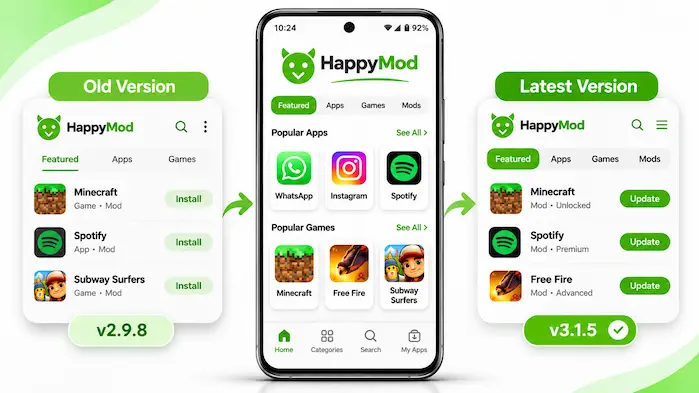
Neither option is right for every user. Therefore, compare the file details and check your device before you choose. You can read our HappyMod Latest Version page for more details about new releases and updates.
What to Check Before Installing an Older Version
Do not install an old APK based on its name alone. Check the file and make sure it matches your phone. These steps can help you avoid common errors.
Check the Version Number
Start by checking the version number of the APK. Compare it with the version on your phone. This helps you know which release you are about to install. Also, make sure the version details come from a source you trust.
Check the Android Requirement
Each APK may have its own Android needs. An old release may not support your current system. In the same way, a newer release may not support an older phone. Read the listed Android requirement before you continue.
Check the Package Name
The package name helps identify an Android app. Compare the package name in the APK details with the app on your phone. If they do not match, stop and check the file. Do not install an unknown file just because it uses the HappyMod name.
Check the File Size
Look at the file size before you install the APK. A file that is much smaller than its stated size may be incomplete. However, file size can change between releases. So, compare it with trusted details for the exact version.
Check the File Source
Only use APK files from sources you trust. Unknown sites may offer files that have been changed or renamed. A familiar app name does not prove that a file is safe. Therefore, check the source and scan the file with a trusted security tool when possible.
How to Check Your Current Version
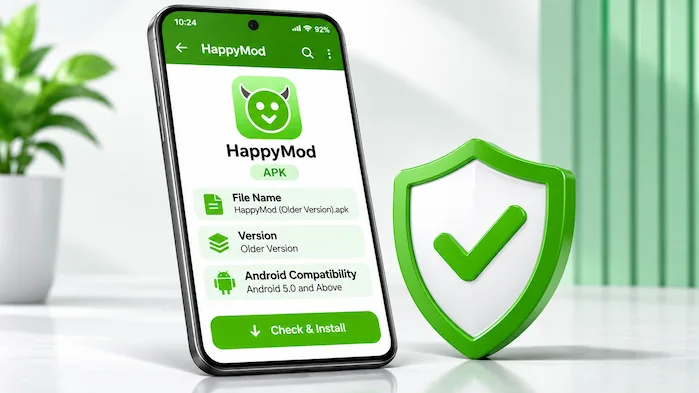
Before you look for an older build, check the version on your phone. This gives you a clear point of comparison.
The menu names may differ by phone and Android version. You can also look for an app information or about section inside the app, if available. Once you find the version number, compare it with the APK details.
How to Install an Older APK
The steps may differ by Android version and device. Before you start, check the file source, version number, package name, and Android needs. Also, keep a copy of important data where possible.
Android may block an APK that conflicts with the app already on your phone. It may also show a warning about apps from outside the Play Store. Read each message before you continue. Installing an older build over a newer one may fail. In some cases, Android may require you to remove the current app first. This can affect app data. So, do not uninstall your current app unless you understand the result and have saved any data you need.
For more APK details and installation steps, visit our HappyMod APK Download page.
Common Problems With Older Versions
An old APK may not work as expected. The cause can relate to the file, your phone, or the installed app. Check these common issues before you try another file.
Older APK Will Not Install
The file may not support your Android version. It may also conflict with the app already on your phone. First, check the version and package details. Then, make sure the APK file is complete.
App Crashes After Installation
An older build may have bugs or may not work well on your device. Restart your phone and try opening the app again. If the problem stays, check whether the APK supports your Android version.
Newer Version Is Already Installed
Android may stop an older APK from replacing a newer build. This can happen when the version or file signature does not match. Do not remove the current app without checking what may happen to your data.
Some Features Do Not Work
An older release may lack changes found in later builds. It may also have errors that newer releases have fixed. Check the release details to see what that version includes.
APK Download Is Incomplete
A weak internet link can stop a download before it ends. Low storage can also cause a problem. Check your connection and free space. Then, download the file again from a trusted source.
Are Older Versions Safe to Use?
An older APK is not safe just because it has an older version number. Its safety depends on the file source, file changes, and app build. Some old releases may lack fixes for known problems. Others may come from unknown sites and contain changes you did not expect. Before you install an older APK, check its source and file details. Scan the file with a trusted security tool when possible. Also, review the Android warnings that appear during setup. If you cannot confirm where the file came from, do not install it. You should also think about the need for an older release. If a newer version works well on your phone, there may be little reason to switch back. In addition, keep your Android system and security tools up to date.
Can You Return to an Older Version?
You may be able to return to an older release, but Android may not allow a direct update to a lower version. The result can depend on the package name, file signature, and current installation. Some phones may require users to remove the newer app before they install an older build. This can delete app data. Therefore, save any important information first. Also, check that the older APK supports your phone before you make changes. Do not use random APK files to force a downgrade. A file with the wrong package details or source may cause more problems.
HappyMod Old Versions: App Information
Use this table to record details for each older APK you have checked. Do not add values until you verify them against the exact file.
| App Detail | Information |
| App name | HappyMod |
| Category | Apps and Games |
| Main purpose | Modified app and game discovery |
| Platform | Android |
| File format | APK |
| Content type | Modified apps and games |
| Main features | Search, categories, MOD details, and feedback |
| Distribution | happymod.co.za |
Each older release may have different details. So, do not copy the version number or file size from another APK. Check each file on its own before you publish its details.
Pros and Cons of Using Older Versions
Older releases may suit some users, but they also have limits. Review both sides before you choose one.
Pros
Cons
Frequently Asked Questions of HappyMod Old Versions
What Are HappyMod Old Versions?
They are past releases of the Android app. Each build may have its own features, file details, and Android needs.
Why Use an Older Version?
Some users prefer an old layout or face issues with a newer build. However, an older APK may lack later fixes.
Can I Install an Older APK?
You may be able to install one if it supports your phone. Check the file source, package name, and Android needs first.
Are Older Versions Safe?
Not every old APK is safe. Check the source and scan the file with a trusted security tool before you install it.
Can I Downgrade HappyMod?
A downgrade may work in some cases. However, Android may block it or require you to remove the current app first.
Will Downgrading Delete My Data?
It can. The result depends on the phone and installation method. Save important data before you remove or replace an app.
Do Older Versions Support Android?
Support depends on the exact APK build. Check its minimum Android need before you install it.
Should I Use an Old Version?
Choose an older release only if it meets your needs and supports your phone. If the current version works well, there may be no need to switch.
Final Thoughts of HappyMod Old Versions
HappyMod Old Versions may suit users who prefer a past app layout or need a build that works with their phone. However, older releases can lack new fixes and may have other limits. Check the APK source, version number, package name, and Android needs before you install one.