
HappyMod
HappyMod gives Android users a place to explore modified apps and games. Its catalog brings different MOD versions together, so finding a familiar title or trying a new one feels simple.
Security Verified
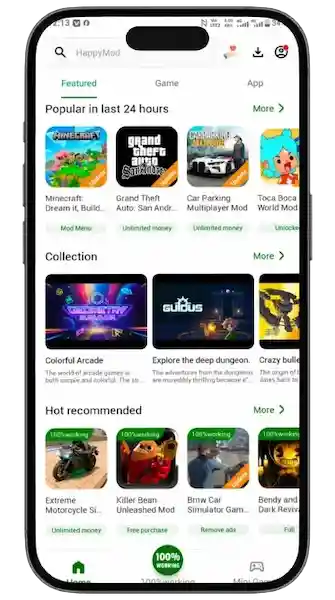
You can search for a specific app, browse game categories, or compare the options listed for a title. The app also includes MOD details and comments from other users. These features make it easier to see what each listing offers before you download it. Whether you enjoy mobile games or want to explore modified apps, HappyMod puts that content within easy reach.
What Is HappyMod?
HappyMod is an Android app store focused on modified apps and games. It brings MOD versions of different titles into one catalog and gives users a way to explore them. You can look for a game you already know, find apps in a certain category, or check which versions a listing offers. Each listing may also include details about its changes and feedback from other users. This makes the app more than a place to find APK files. It gives users useful information to consider before choosing a MOD.
Understanding the HappyMod App
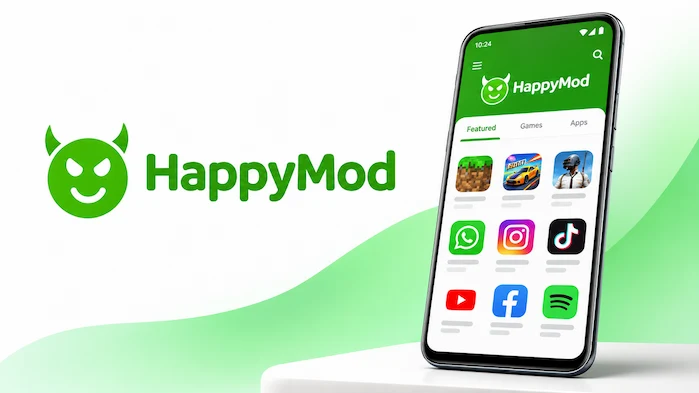
The app brings its main features into one easy browsing experience. Its catalog helps you find apps and games, while the search tool takes you straight to a title you have in mind. When you open a listing, you can check its MOD details, look at available versions, and read user comments. This saves you from having to search across several pages just to learn about one app. The layout also keeps related content close at hand, making it easy to move from one title to another.
How HappyMod Differs from Traditional App Stores
Most app stores focus on original releases from developers. HappyMod takes a different route by giving more attention to modified versions. For example, a game MOD may change certain parts of the gameplay, while an app MOD may adjust some of its features. You can also compare different builds and read feedback about them. This does not make one type of store better than the other. They simply serve different needs. Google Play is the usual choice for original apps, while a MOD catalog appeals to people who want to explore altered versions.
What Are MOD APK Files?
An APK is the file format Android uses to install apps. A MOD APK is a changed version of an existing Android app or game. Someone has altered parts of the original package to add, remove, or adjust certain features. For example, a game MOD may change gameplay settings, while an app MOD may unlock or adjust selected tools. The changes depend on the person who made that build. So, two MOD files for the same title may not offer the same features. Always read the listing details before choosing one.
Who Uses HappyMod and Why?
The app appeals to Android users who enjoy trying different versions of familiar apps and games. Some want to explore changes to a game, while others look for apps with adjusted features. Many also enjoy browsing the catalog to discover titles they have not tried before. The comments and MOD details give them more information when comparing options. However, modified apps are not right for every situation. If you need an app for banking, work, or another sensitive task, the original developer’s version is the better choice.
If you want to get the Android app, visit our HappyMod APK Download page for download information and installation details.
HappyMod App Information and Overview
HappyMod brings modified Android apps and games together in one place. Its main appeal lies in the way it combines app discovery with MOD details, version choices, and community feedback. Instead of looking at a file name alone, you can open a listing and learn more about the build. The app uses the APK format on Android, while each listed app has its own version and device needs. Here is a quick look at the platform.
HappyMod App Specifications
| App Detail | Information |
| App name | HappyMod |
| Category | Apps and Games |
| Main purpose | Modified app and game discovery |
| Platform | Android |
| File format | APK |
| Content type | Modified apps and games |
| Main features | Search, categories, MOD details, and feedback |
| Distribution | happymod.co.za |
Supported Platform and Android Compatibility
HappyMod is made for Android devices and uses the APK file format. This means Android users can install a compatible package through the device installer. Still, not every app or MOD works on every phone. The Android version, device hardware, and app requirements all matter. Some games may also need extra files or a matching game version. Before installing a file, check the details on its listing. A quick check can save you from errors later.
APK Format and Version Information
APK files let Android users install apps from sources outside the Google Play Store. HappyMod uses this format for its Android app, and its catalog includes version details for listed apps and games. These details matter because a MOD build may not match the latest original release. For example, a MOD made for an older game version may not work with a newer one. Check the version shown in the listing and make sure it matches the build you want.
Language and Availability Details
Language support can vary between the app itself and the titles in its catalog. The interface may offer its own language options, while each game or app follows the language support set by its developer or MOD creator. If you prefer a certain language, check the details of the title before installing it. This small step helps you avoid choosing an app that does not meet your needs.
Top Features of HappyMod
The best part of HappyMod is the way its features work together. The catalog gives you content to explore, search helps you find a title, and MOD details tell you more about each build. You can also compare versions and read comments from other users. These tools support the main purpose of the app: making modified apps and games easier to discover. Here is a closer look at what each feature brings to the experience.
Large Collection of Apps and Games
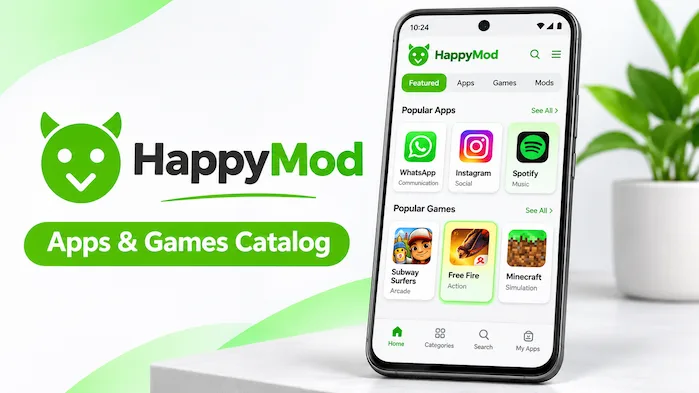
The catalog covers modified apps and games from different categories. You can look for a popular title or browse around to find something new. This range gives the app appeal beyond one type of user. Game fans can explore different genres, while others can look through tools and entertainment apps. The exact titles and MOD versions depend on the current catalog, but the wide choice makes browsing one of the main parts of the experience.
Simple User Interface
A crowded app can make even simple tasks feel difficult. HappyMod keeps its browsing experience clear, with sections that help you move between categories and app listings. Once you find a title, its details are easy to reach. You do not need to jump between several different screens just to learn the basics. This simple layout makes the app easier to explore, especially when you are browsing without a specific title in mind.
Search and App Discovery
Sometimes you know exactly what you want. Other times, you just want to see what is available. The search tool helps with the first, while the category sections help with the second. Enter an app or game name to find matching listings. If you are in the mood to explore, browse the available categories instead. Popular sections also give you another way to discover titles that attract interest.
MOD Information and User Feedback
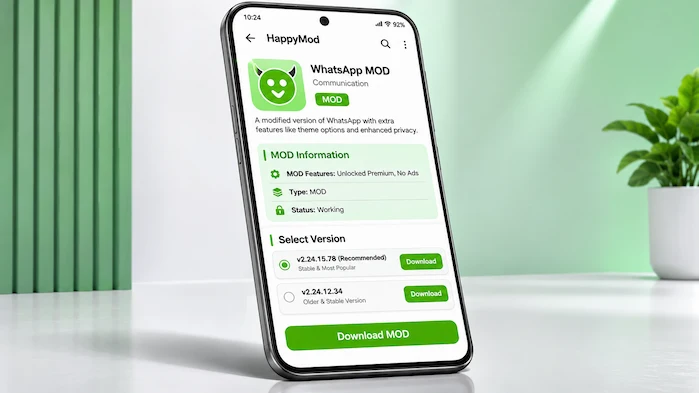
A MOD’s name does not tell you everything about what it changes. That is why the details on each listing matter. They explain the changes linked to a build and give you a better idea of what to expect. You can also read comments and ratings from other users. These may point out bugs, missing features, or problems with certain devices. Feedback is useful, but it is not a safety guarantee. Always check a file before installing it.
Multiple App Versions
Not every user wants the newest version of an app. Sometimes an older build works better with a device or a particular game release. Some listings offer more than one version, giving you a choice. You can compare the details and select the build that suits your needs. Just remember to check the base app version too. A MOD may stop working if it does not match the original app or game version.
Download Manager and Progress Tracking
Keeping track of downloads is easier when the app shows their progress. HappyMod includes download tools that help users follow files as they download and find completed items. Supported download controls also help manage the process. This is useful when you are downloading more than one file. Once a download finishes, check the package before you install it. Do not assume that a completed download means a file is safe.
Community Feedback and MOD Requests
Community feedback gives each listing more context. You can read what other users say about a build and learn about issues they have faced. Some may share whether a feature works or report a crash on a certain device. The app also offers ways for users to take part in the catalog through requests and contributions. This shared input adds value to app discovery. Still, treat comments as personal reports rather than proof that a MOD works for everyone.
App Sharing and Navigation
Found an app that a friend might enjoy? Sharing options make it easier to pass a listing along. The other person can then check the title and its details before making a choice. Navigation also helps you move between related categories and listings. These small features make browsing feel more connected and help you return to content that caught your interest.
Explore Apps and Games on HappyMod
There is more to the catalog than one type of game or app. You can explore different game genres, look through useful tools, or find entertainment apps. The category sections make it easier to narrow your search. If you already have a title in mind, the search tool takes you straight to it. Keep in mind that the catalog can change, so check the current listing for the exact app or game you want.
Popular Game Categories
Game fans have different tastes, and the catalog covers several types of play. Action games appeal to people who enjoy fast movement and combat. Strategy games put more focus on planning and smart choices. Offline games are useful when you want to play without a constant internet connection. Some MODs also change parts of the gameplay. Since every build is different, read its description before downloading.
Popular App Categories
The app section covers more than games. Utility apps help with everyday tasks, while entertainment apps offer ways to enjoy media and other content. You can also explore video editing apps if you want tools for making or changing videos. These categories help you find apps based on what you need. Open a listing to check its features, version, and other details before you install it.
Modified Apps and Games
Modified content is what sets this catalog apart. A MOD may change selected parts of an original app or game. For example, it may adjust gameplay, change certain settings, or add features. The changes depend on the build, so do not expect every MOD to offer the same things. Read the description and check the original app version. That gives you a clearer idea of what you are downloading.
Examples of Popular Games
Well-known games often attract interest from people who explore MOD versions. Minecraft, GTA titles, and Car Parking Multiplayer are common examples in MOD searches. Each game has its own versions, files, and device needs. A MOD for one release may not work with another. So, check the exact title and version before downloading. Also, keep the game’s rules in mind, especially when playing online.
How Does HappyMod Work?
Using HappyMod starts with finding something you want to explore. You can search for a title or browse one of the categories. Open a listing to read its MOD details, check the available versions, and look through user comments. Once you have compared the options, choose a build that matches your device and needs. This gives you a simple way to explore the catalog without guessing what a file contains.
Browsing Apps and Games
The home screen gives you a starting point for exploring the catalog. From there, you can open a category or look through popular sections. This works well when you want to discover something new. If a title catches your eye, open its listing and read the details. You can then decide whether it is worth exploring further.
Searching for Specific Applications
When you already know the title, search is the quickest way to find it. Enter the app or game name and review the results. Pay attention to the full title, since similar names can appear in search results. Once you find the right listing, check its details before moving on to the download.
Checking Modification Information
Take a moment to read the MOD description. It explains the changes linked to that build and helps you decide whether it offers what you want. Compare those details with the original app version too. This matters because a MOD may depend on a certain release. A quick review can help you avoid downloading the wrong build.
Reviewing User Feedback
Comments can tell you things that a short app description may leave out. Other users may mention crashes, missing features, or device problems. Look for recent feedback, since older comments may refer to a different version. Even then, remember that one person’s experience may not match yours. Use comments as extra information, not as a guarantee.
Selecting Available Versions
If a listing offers several builds, compare them before making a choice. Check the version number, MOD details, and device requirements. Also make sure the build matches the original app or game version. Choosing the wrong package can lead to errors or installation problems. A little care at this stage can save time later.
HappyMod vs Google Play Store and Other App Platforms
Not all Android app platforms offer the same kind of content. Google Play focuses on original apps, while other platforms offer APK files and version archives. HappyMod puts modified apps and games at the centre of its catalog. This difference matters when choosing where to look. The right option depends on whether you want an original app, an older release, or a modified build.
HappyMod vs Google Play Store
Google Play is the standard choice for original apps from their developers. It offers app updates, publisher details, and Google Play Protect support. HappyMod serves a different purpose. It gives users a place to explore modified versions and read MOD-related feedback. If you want the original app and normal updates, Google Play is the better fit. If you want to explore MOD builds, a MOD-focused catalog is more relevant. Keep in mind that third-party files need extra care.
HappyMod vs APKPure
APKPure gives users access to Android app packages and different releases. It suits people who want to find standard APK files outside their usual app store. HappyMod puts more focus on modified apps and games. So, the choice comes down to what you need. APKPure is useful for general APK discovery, while HappyMod is aimed at people who want to explore MOD versions.
HappyMod vs Uptodown
Uptodown offers a wide range of apps and older releases. Its version archive can help when you need a past build of an app. HappyMod has a different focus, with more attention on MOD versions and user feedback. If you want general APK files or older releases, Uptodown is worth exploring. If you want modified apps and games, HappyMod is the more focused option.
HappyMod vs APKMirror
APKMirror is known for original Android app packages and archived releases. It helps users compare versions and find older builds. HappyMod, on the other hand, focuses on modified content. This makes APKMirror a better match when you want an original package. HappyMod suits people who want to explore MOD versions. In both cases, check the package details before installing a file.
Choosing an App Platform
Your choice should start with the type of app you need. Google Play is a good option for original apps. APKPure and Uptodown offer general APK discovery, while APKMirror focuses on original packages and older releases. HappyMod is aimed at modified apps and games. Each has a different role, so compare the source and file details before you download anything.
HappyMod APK Download and Requirements
HappyMod uses the APK format for Android. You can install a compatible package through the Android installer, but there are a few things to check first. Make sure the file name, package details, and version match the app you want. Check your device’s Android version too. Android also asks for permission when you install apps from outside the Play Store. Review that setting and keep your device security tools active.
What to Check Before Downloading
Start with the app name and package details. Make sure the listing matches the title you want and shows a clear version number. Be careful with pages that use confusing file names or fake download buttons. Once the file reaches your device, scan it before installation. These checks help you avoid the wrong file and reduce common risks.
Android and Device Requirements
Every app has its own device needs. Some need a newer Android version, while others work on older phones. Storage space also matters during download and installation. Check the requirements shown for the exact file you want. This helps you avoid problems caused by an unsupported device or a lack of space.
Understanding App Permissions
Permissions control what an app can access on your phone. Always read a permission request before you allow it. For example, a photo editor may need access to your images. An app that has no clear reason to use a certain feature should not need that access. If a request seems unrelated to the app’s purpose, deny it.
Is HappyMod Safe to Use?
Modified APK files need more care than apps from an official store. They come from third-party sources, and their quality can vary. A good rating or a positive comment does not prove that a file is safe. Before installing anything, scan the package, check its permissions, and review its details. It is also wise to avoid modified apps for banking, work, or accounts that hold private information. These steps help you make a more informed choice.
Understanding Platform and Catalog Risks
A catalog can contain files from many different contributors. That means one good MOD does not prove that every other file is safe. Even a popular listing may have problems. Treat each package as a separate download. Check its details and scan it before you install it. This is a better habit than trusting a file based on its rating alone.
Modified APK and Account Risks
A MOD changes parts of the original app, and those changes can affect how it works. Some builds may crash or fail after an update. Others may not work with certain devices. There is also an account risk. Some online games and services do not allow modified apps. Using one may lead to limits or a ban. Check the rules of a service before using an altered version.
How to Check APK Files Before Installation
Scan every APK with a trusted mobile security tool before opening it. Check the package name and review the permissions it requests. If a file asks for access that does not fit its purpose, do not install it. Keep Android security features active as well. These checks cannot remove every risk, but they give you a better chance of spotting a harmful file.
HappyMod Compatibility and Platform Availability
HappyMod is built around Android APK files, so Android is its main platform. A compatible file can run through the Android installer. Still, the app version and device setup matter. Windows users need an Android emulator to run Android apps, while iPhones and iPads use a different app system. This means the same APK does not work on every device. Check your platform before choosing a file.
HappyMod for Android
Android is the main home for APK files. You can download a compatible package and follow the install steps on your device. Check the Android requirements first, and make sure you have enough storage. Device settings can also affect installation. With the right file and settings, the process is more straightforward.
Does HappyMod Work on Android 12?
Android 12 supports APK installation, but that does not mean every app build will work on every device. Check the requirements for the release you want. You may also need to allow installs from the source you use. Make sure you understand that setting before you continue.
HappyMod for PC and Windows
HappyMod is an Android app, not a native Windows program. If you want to run an Android app on a PC, you need a compatible Android emulator. The result depends on both the emulator and the APK. Download the emulator from a trusted source and check its system needs before you install it.
HappyMod for iOS and iPhone
Android APK files do not install on iPhones or iPads. Apple devices use a different app system and file format. So, an Android APK cannot work as a normal iPhone app. If you use an iPhone, choose apps from Apple’s supported app sources. Avoid pages that claim an Android APK will install on iOS.
HappyMod Old Versions and Latest Updates
App updates can change features, fix errors, or affect device support. A newer release may bring changes you want, while an older build may suit a device that does not support the latest version. However, old files can miss security fixes and new features. Check the release details and source before choosing a version. It is also worth checking whether a MOD matches the original app release.
Want to learn about recent app releases? Visit our HappyMod Latest Version page to explore updates, compatibility, and version details.
HappyMod Latest Version Information
The latest release includes the most recent changes to the app. Before updating, check the version number and release details. Make sure the package supports your Android device too. A clear version record helps you tell the current release from older files or copies.
Why Do Users Look for Older Versions?
Not every update works well for every user. A new version may change the layout or cause an issue on an older phone. Some users also need a build that matches a certain game version. An older release can help in these cases, but it may lack newer features and security fixes. Compare the details before you install one.
Checking Compatibility Between Versions
There are two versions to check: the app version and the MOD version of the game or app you want. They are not always the same. A MOD may only work with a certain original release. Check both details before installation. This can help prevent errors and save you from trying the wrong package.
HappyMod Pros and Cons
HappyMod gives users a focused way to explore modified apps and games. Its catalog and search tools make discovery easier, while MOD details and comments give more context. Still, third-party files come with risks. Here is a fair look at the main benefits and limits.
Advantages
Limitations
Five HappyMod Alternatives
HappyMod is not the only way to find Android apps. Several other platforms offer APK files, app catalogs, and older releases. However, each one has a different focus. Some are better for original apps, while others help you find past versions. Here are five alternatives worth knowing.
Google Play Store
Google Play is the standard app store for Android. It offers apps from their developers, along with updates and publisher details. It also includes Google Play Protect support. If you want original apps and regular updates, this is the best place to start. It does not focus on modified versions.
APKPure
APKPure offers Android app packages and version options. You can search for apps and explore the releases listed for them. It is useful when you want general APK discovery outside your usual app store. Its main focus is not community-made MOD builds.
Uptodown
Uptodown has a broad app catalog and an archive of older releases. This can help when you need a past version of an app. You can also browse by category to find new titles. It is a useful choice for general APK files and version history.
APKMirror
APKMirror focuses on original Android packages and older app releases. It helps users compare versions and check package details. If you want an original app rather than a modified build, it is worth considering. Always check the package details before installing a file.
Aptoide
Aptoide is an independent app store for Android. It offers another way to find apps and games outside Google Play. Its catalog includes apps from different sources. As with any third-party store, check the publisher and file details before you install an app.
Frequently Asked Questions About HappyMod
Conclusion
HappyMod gives Android users a place to explore modified apps and games. Its catalog, search tools, MOD details, and user comments make it easier to find and compare different builds. You can browse popular categories, look for familiar titles, and check the options listed for each app. At the same time, modified APK files need care. Check the source, scan each package, and review its permissions before installation. When you understand both the features and the risks, you can make better choices while exploring modified Android content.