
HappyMod for iOS is a common search among iPhone and iPad users who want to explore modified apps and games. However, HappyMod is an Android platform that uses APK files. iPhones and iPads cannot install these files.
There is no verified official HappyMod app for iOS. So, be careful with websites that promise a direct iPhone download. This page explains why HappyMod does not work on Apple devices, how to spot fake downloads, and what options iPhone users have.
Is HappyMod Available for iOS?
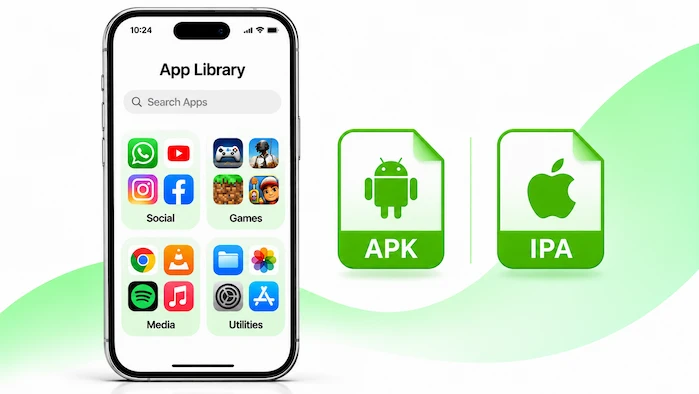
No verified official HappyMod app is available for iPhone or iPad. HappyMod uses Android APK files, while Apple devices use a different app system. This means you cannot install the Android app on an iPhone. Also, renaming an APK file does not make it work on iOS. If a website offers a HappyMod iOS download, check the source before you trust it.
Visit the HappyMod homepage to learn more about the platform and its Android app collection.
Why Does HappyMod Not Work on iPhone?
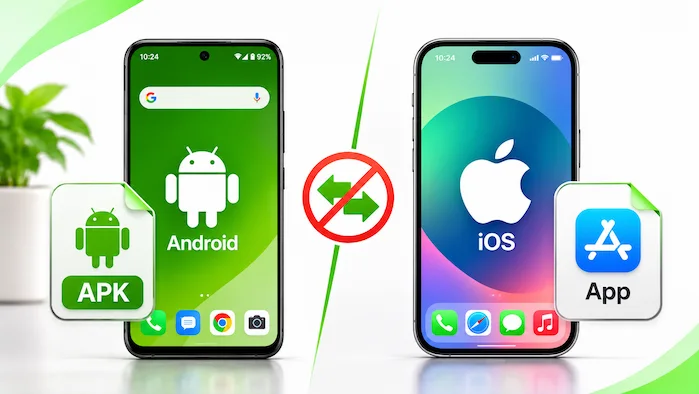
Android and iOS use different systems. They also use different app file types and install methods. As a result, an Android APK cannot run as a normal iPhone app. Here are the main reasons.
Android Uses APK Files
HappyMod provides Android app files in APK format. Therefore, Android devices can install compatible APK files through supported install methods. However, iPhones cannot open APK files as apps. Moreover, downloading an APK through Safari does not change this limit.
iOS Uses a Different App Format
iPhones and iPads use Apple’s app system. Their apps follow Apple’s signing and installation rules. An Android APK does not meet those needs. So, you cannot turn a HappyMod APK into an iPhone app by changing its file name or moving it to another folder.
Different App Systems
Android and iOS handle apps in different ways. Therefore, an app made for Android needs changes before it can run as a native iOS app. As a result, a real iOS version would require its own development work. In addition, a simple APK download cannot provide that functionality.
Can You Download HappyMod on iPhone?
You may find websites that claim to offer HappyMod for iPhone. However, a download page does not prove that an official iOS app exists. For example, some pages may offer unrelated apps, fake files, or steps that do not install HappyMod. In addition, others may ask you to complete surveys or install unknown profiles. Therefore, avoid these offers and never enter your Apple Account details on a third-party download page.
What Is a HappyMod IPA File?
An IPA file is a type of app package used by Apple devices. An APK file is made for Android. These formats are not the same. A real iOS version would need an app built for Apple’s system. Changing the name of an APK file to IPA does not convert its code. Therefore, do not trust websites that claim to provide a real HappyMod IPA without proof from the app’s developer.
How to Spot Fake HappyMod iOS Downloads
Some websites use the HappyMod name to attract iPhone users. They may show download buttons or claim that their files work on every iPhone. However, these claims do not prove that the app is real. Watch for these warning signs:
If you see these signs, close the page. Do not install unknown files or profiles. Also, avoid sharing private details with sites you cannot trust.
For more information about Android APK files, visit the HappyMod APK Download page.
What Are Configuration Profiles on iPhone?
A configuration profile can change some settings on an iPhone or iPad. Schools and businesses may use profiles to set up devices. However, an unknown profile from a download page can create privacy and security risks. A profile is not a normal way to install the Android HappyMod app. So, do not install one just because a website promises HappyMod for iOS. If you already installed a profile from an unknown source, review it in your iPhone settings. Remove it only if you know it is not needed for your school, work, or another trusted service. If you are unsure, ask Apple Support for help.
Can Jailbreaking Install HappyMod on iOS?
Jailbreaking removes some of Apple’s built-in limits. However, it does not turn an Android APK into an iOS app. HappyMod still needs an Android environment to run. Jailbreaking can also affect device security, updates, and stability. Therefore, it is not a useful way to install HappyMod on an iPhone. Avoid guides that promise a one-tap HappyMod install through a jailbreak.
What Can iPhone Users Do Instead?
Although HappyMod does not have a verified iOS version, iPhone users still have other options. The right choice depends on what you want to do. You can use apps from Apple’s App Store or use a separate Android device for Android APK files.
Use Apps From the App Store
The App Store offers apps and games made for iPhone and iPad. You can search for the app you need and check its developer, reviews, and privacy details. Many games also offer free versions or in-game rewards. This is the simplest option for most iPhone users.
Use an Android Phone or Tablet
If you want to use HappyMod itself, you need a compatible Android device. Android supports APK files, while iOS does not. You can use an Android phone or tablet to explore compatible apps. Check each file before you install it.
Use an Android Emulator on a PC
An Android emulator can run some Android apps on a Windows computer. It creates an Android environment on your PC. You may then install a compatible HappyMod APK inside it. However, this does not install HappyMod on your iPhone. Check the emulator and APK requirements before use.
HappyMod for iOS vs Android
HappyMod works in an Android environment. iPhones and iPads use a different system. This table shows the main differences.
| Feature | Android | iPhone and iPad |
| HappyMod app | Android app | No verified official app |
| Main file type | APK | Apple app format |
| Direct APK install | Supported on compatible devices | Not supported |
| Modified Android apps | Can run if compatible | Cannot run as native iOS apps |
| App source | Third-party APK source | App Store and supported Apple options |
| Android emulator | Not needed on Android | Not available as a normal iPhone app |
The key difference is the app system. An Android APK cannot run on an iPhone, even if you download it through a browser.
Is HappyMod for iOS Safe?
Be careful with any site that claims to offer a HappyMod iOS download. There is no verified official iOS app to install. A fake download page may ask for personal details, unknown profiles, or extra apps. These steps can put your privacy at risk. Use the App Store for iPhone apps. Also, keep iOS updated and avoid unknown profiles or certificates. Never share your Apple Account password with a third-party download page. If a website makes claims that seem too good to be true, leave it.
HappyMod for iOS: Pros and Cons
HappyMod does not offer a verified official iOS app. Still, iPhone users can learn about the platform and choose other ways to find apps.
Pros
Cons
HappyMod for iOS FAQs
Is HappyMod Available for iPhone?
No verified official HappyMod app is available for iPhone. The platform uses Android APK files, which iOS cannot install.
Can I Download HappyMod on iPad?
No verified official iPad version is available. iPads use Apple’s app system and cannot install Android APK files.
Is There a HappyMod IPA File?
There is no verified official HappyMod IPA release. Avoid websites that offer an IPA file without proof from the developer.
Can I Convert APK to IPA?
No. Changing the file name does not change the app code. An Android APK cannot become a working iOS app through a simple file conversion.
Does HappyMod Work on iOS 18?
An iOS update does not make Android APK files work on an iPhone. HappyMod still needs an Android environment.
Can Jailbreaking Install HappyMod?
No. Jailbreaking does not make an iPhone run Android APK files. It can also create security and stability risks.
What Is the Best HappyMod Alternative for iPhone?
The App Store is the main place to find apps made for iPhone and iPad. Check each app’s developer and privacy details before you install it.
Final Thoughts
HappyMod for iOS is a common search, but there is no verified official iPhone or iPad version. HappyMod uses Android APK files, and Apple devices cannot run them as native apps. Do not trust sites that promise a simple IPA download or ask you to install unknown profiles. Instead, use the App Store for iPhone apps. If you want to use HappyMod, choose a compatible Android device or an Android emulator on a PC. Always check the source before installing any app.