
HappyMod for Android gives users access to modified apps and games. These apps may have features that differ from the original versions. However, not every APK works on every phone.
Your Android version, device space, and phone settings can affect how an app runs. Before you install anything, check the file and its source. This page explains HappyMod features, Android support, installation steps, common errors, and safety tips.
What Is HappyMod for Android?
HappyMod is a third-party platform for Android apps and games. It offers modified files, which people often call Mod APKs. These files may have changes to their features or settings. For example, a game may have changes to some of its in-game options. However, each file can be different. The person who changed the app decides what to change. Unlike Google Play, HappyMod is not part of Google’s app store. So, check each APK before you install it.
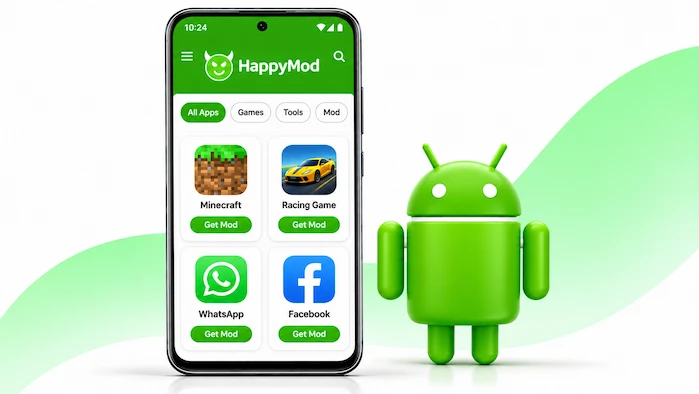
Visit the HappyMod homepage to learn more about the app and its available content.
Main Features of HappyMod for Android
HappyMod focuses on modified apps and games. Its app list and features may change over time. Still, users may find a few common options when they explore the platform.
Modified Apps and Games
HappyMod offers modified versions of some apps and games. These files may work in a different way from the original apps. For example, a game may have changes to some of its features. However, this depends on the file. Read the app details before you choose a version. Also, check the source before you download it.
App Categories
The platform sorts apps and games into groups. This makes it easier to browse its app list. You can look through the groups to find the type of app you want. However, the list may change over time. Check the details of each app before you install it.
Multiple App Versions
Some listings may offer more than one app version. This can help users compare releases or find an older version. However, an old release may lack new features or security fixes. It may also fail to work on a newer phone. So, check the version details and Android needs before you install it.
App Information
App listings may show details such as the app name, version, and file size. These details help you check a file before you download it. Still, an app listing does not prove that a file is safe. Check its source and scan the APK before you install it.
For more download details, visit the HappyMod APK Download page before choosing an APK file.
Is HappyMod Compatible With Android Devices?
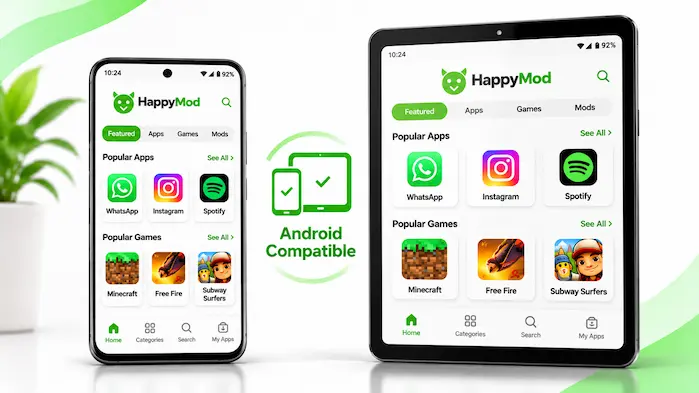
HappyMod is made for Android devices, but not every APK works on every phone. Each app may have its own system needs. Some files need a newer Android version, while others may need more memory or free space. As a result, an app may work on one phone but fail on another. Check the needs of the exact APK before you download it.
Android Version Requirements
Each app has a minimum Android version. Some apps work on older Android releases, while others need a newer system. Check the app details before you download a file. Also, keep your phone up to date when possible. New system updates can fix bugs and improve device security.
Phone and Tablet Support
You can use Android apps on phones and tablets if the files support those devices. However, screen size, memory, and phone power can affect how an app runs. A large game may need more memory than a simple tool. So, check the app needs before you install it on a device with low memory.
Storage Space
Your phone needs free space to download and install an APK. Some apps also need extra space for updates and saved files. Check your storage before you start. If space is low, remove files you no longer need. Keep a copy of your important data before you make changes.
How to Download HappyMod for Android
Check the download source before you get the APK. Files from unknown sites may contain harmful code or lead to fake download pages. Follow these steps to check a file before you download it.
Do not install extra apps just to get an APK. Also, do not share personal details with an unknown download page. A security scan can help find threats, but it cannot prove that a file is safe.
How to Install HappyMod on Android
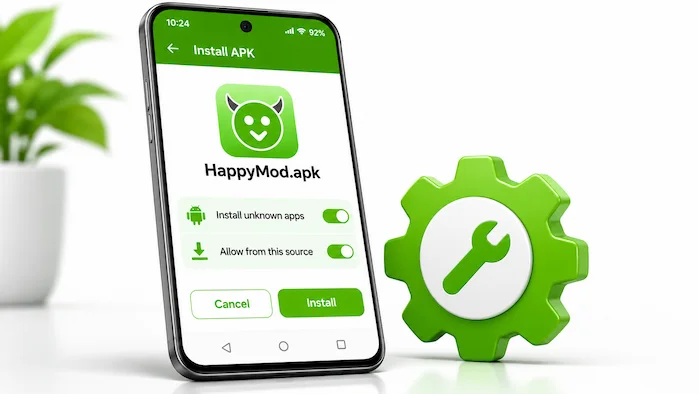
Android may block an APK if your browser or file manager lacks install access. You can review this setting in your phone’s app settings. The steps may differ based on your phone brand and Android version.
Do not ignore a warning from Android or Google Play Protect. If your phone flags the file as harmful, stop the install. Check the file before you take any further steps.
How to Update HappyMod on Android
An update may add features or fix app errors. It may also improve support for newer Android devices. However, the update must match your phone and the app you already use. Check these details before you install a new APK.
Some updates may not install over an older app. This can happen when the app files have a different package name or signing key. Do not remove your current app until you know if that will delete your data.
Common HappyMod Problems on Android
You may face install errors, app crashes, or other issues when using APK files. Each problem can have a different cause. Check the error message first. Then try the steps below.
App Not Installed Error
Android may show this error if the APK does not match your phone. It may also happen when the file is broken or clashes with an app already on your device. First, check the Android needs and app details. Then make sure the file has finished downloading. Do not remove an app if you need its data and have no backup.
APK Won’t Open
An APK is an install file. It does not open like a normal app. Find it in your Downloads folder and tap it to start the install. If it still does not work, check that the file is complete. Also, make sure your phone supports it.
App Keeps Crashing
An app may crash due to low memory, poor file quality, or a device mismatch. First, restart your phone and check the app version. If the issue stays, remove the app. You can then look for the original app from its developer or a trusted app store.
Download Is Slow or Fails
A weak internet link can stop a download. Low storage or a server issue can also cause this problem. Check your internet and free space first. Then try again from a source you trust. Avoid clicking many download buttons. Some pages may send you to ads or files you did not ask for.
Is HappyMod for Android Safe?
HappyMod is a third-party platform, so you should take care when using its APK files. A modified app may contain changes that the original developer did not make. Some files may also ask for access they do not need. Others may contain harmful code. So, do not assume that every file is safe. Keep Google Play Protect on and check app access before use. Scan each APK with a trusted tool. Also, avoid using unknown modified apps for banking or private accounts. If you cannot check the source or file, do not install it.
HappyMod for Android: App Information
Use this table to show key details about the HappyMod Android app. Check each value against the exact APK before you add it to the page.
| App Detail | Information |
| App name | HappyMod |
| Category | Apps and Games |
| Main purpose | Modified app and game discovery |
| Platform | Android |
| File format | APK |
| Content type | Modified apps and games |
| Main features | Search, categories, MOD details, and feedback |
| Distribution | happymod.co.za |
Do not guess the version, file size, package name, or Android needs. These details may change with each release.
HappyMod for Android: Pros and Cons
HappyMod gives users another way to explore modified Android apps and games. However, third-party APK files also have risks. Review these points before you use the platform.
Pros
Cons
HappyMod for Android FAQs
Is HappyMod Available for Android?
Yes, HappyMod offers APK files for Android users. Check the source and phone needs before you install the app.
Does HappyMod Work on All Android Phones?
No. Each APK has its own system needs. Your Android version and phone hardware can affect how an app works.
Can I Install HappyMod Without Google Play?
Android supports APK files from sources outside Google Play. However, these files carry extra risks. Only use a source you trust.
Why Is HappyMod Not Installing?
The APK may not match your phone. The file may also be broken or clash with an app on your device. Check the file and Android needs first.
Can I Update HappyMod on Android?
You may be able to install a newer APK. First, check its source, version, and phone support. Back up your data before you update.
Is HappyMod Safe for Android Phones?
The safety of each APK depends on its source and code. Scan files, check app access, and avoid any file that shows a warning.
Does HappyMod Support Android Tablets?
Some APK files may work on Android tablets. However, support depends on the app and the tablet’s system needs.
Final Thoughts
HappyMod for Android gives users another way to explore modified apps and games. However, each APK may work in a different way. Your phone’s Android version, memory, and free space also matter. Before you install a file, check its source and app details. Scan it and review its access needs. Also, keep your phone up to date. For apps that handle private data, use the original version from its developer whenever possible.